
How Can a Kitchen Display System Improve Commercial Kitchen Throughput?
Direct Answer
A kitchen display system improves commercial kitchen throughput by making orders more visible, reducing paper ticket dependency, and helping kitchen teams coordinate preparation, status updates, and dispatch in real time.
In modern restaurants, a KDS is not only a screen. It is the kitchen-side execution layer that connects cashier POS terminals, self-service kiosks, mobile POS handhelds, online orders, kitchen printers, expeditor stations, and Back-of-House workflows.
The right KDS hardware also matters. Screen size, mounting flexibility, operating system compatibility, network connectivity, and integration readiness all affect how well a kitchen display system performs in daily commercial kitchen operations.
Key Takeaways
- A kitchen display system helps restaurants move from paper-based kitchen tickets to real-time digital order coordination.
- KDS performance depends on both software workflow and hardware deployment.
- Screen placement, hardware stability, and system integration can affect commercial kitchen throughput.
- VESA mounting is useful, but it is one part of the wider KDS hardware selection process.
- AI-ready KDS hardware should be understood as ecosystem-ready hardware for POS, kiosk, printer, MDM, and AI Box expansion.
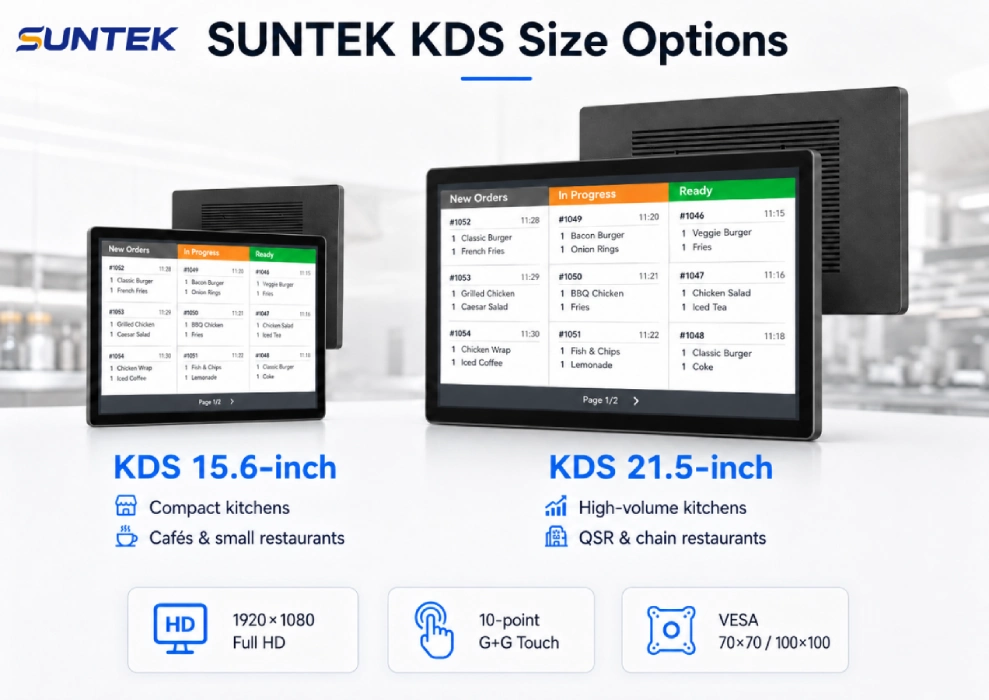
The following example shows how different KDS screen sizes can support different kitchen roles, from compact preparation stations to larger expeditor workflows.
What is A Kitchen Display System?
A kitchen display system, often shortened as a KDS System, is a digital order display system used in restaurant kitchens. It receives order information from front-of-house systems and displays it on one or more kitchen screens.
In a traditional restaurant workflow, orders are often printed as paper tickets and manually passed to kitchen stations. A Kitchen Display System changes this process by showing order information digitally. Kitchen staff can view order details, track timing, update preparation status, and coordinate order completion from the screen.
KDS systems are commonly used in quick-service restaurants, fast casual restaurants, ghost kitchens, food courts, hotel kitchens, cafeterias, and delivery-focused kitchens. The purpose is not only to replace paper tickets, but to make order information easier to manage during busy service periods. This direction also aligns with broader
restaurant automation trends, where digital tools are increasingly used to improve kitchen execution and operational consistency.
Why Kitchen Display Systems Matter in Commercial Kitchens
Commercial kitchens depend on speed, visibility, and coordination. During peak hours, orders may come from multiple sources at the same time, including cashier POS terminals, self-service kiosks, mobile POS devices, online ordering platforms, and delivery channels.
Without a clear order display workflow, kitchen staff may spend extra time checking tickets, confirming changes, or asking other stations for status updates. These small delays can accumulate and affect preparation speed, order accuracy, and customer pickup timing.
A Kitchen Display System helps centralize order visibility. It allows each station to focus on relevant tasks while expeditors monitor order progress and coordinate final dispatch. This is why KDS is often treated as a core part of Back-of-House digital infrastructure.
How a KDS System Works in BOH Workflows
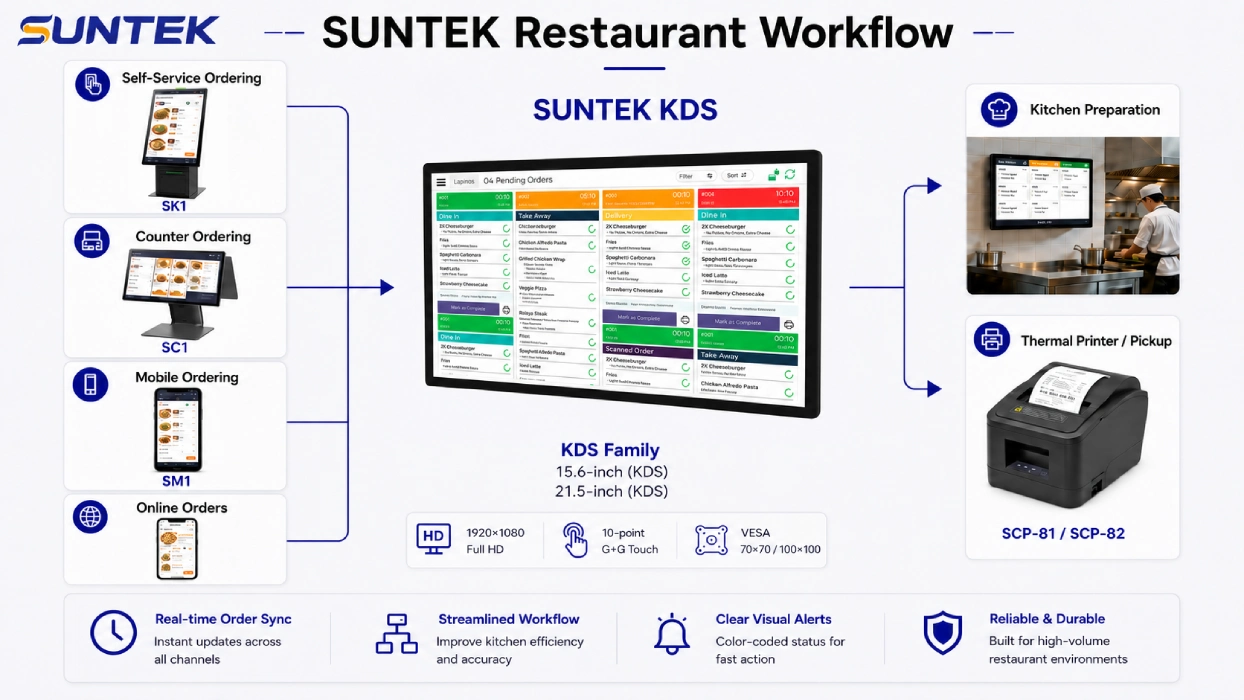
In typical BOH workflows, an order begins at the ordering point. This may be a cashier POS terminal, self-service kiosk, mobile POS handheld, online ordering platform, or other restaurant system.
After the order is placed, the KDS System receives the order data and displays it on the correct kitchen screen. In a small restaurant, one screen may show all orders. In a larger kitchen, multiple screens may be assigned to different stations such as grill, fryer, beverage, salad, dessert, packing, or expeditor.
This station-based workflow helps kitchen teams see only the information they need. It also allows managers or expeditors to track order progress across multiple stations and identify bottlenecks more quickly.
Order Source → POS / Kiosk / Mobile POS → KDS System → Kitchen Station Display → Preparation → Expeditor → Pickup or Delivery
A Kitchen Display System usually sits between order sources and kitchen execution. The workflow below shows how POS, kiosk, handheld POS, kitchen printer, and kitchen display hardware can work together in a restaurant environment.
How a Kitchen Display System Improves Commercial Kitchen Throughput
Kitchen throughput is affected by how quickly orders move from entry to preparation, checking, packing, and pickup. A Kitchen Display System can support this process by improving the visibility and timing of order information.
Order Visibility
KDS screens make order details visible at the right kitchen stations, reducing the need to search for paper tickets or confirm order information manually.
Station Coordination
Different preparation stations can view relevant tasks, helping teams work in parallel instead of relying only on verbal coordination.
Status Updates
Kitchen staff can update order progress through the KDS workflow, helping expeditors understand what is pending, preparing, or ready.
The improvement does not come from the screen alone. It comes from the combination of order routing, screen placement, staff workflow, kitchen layout, and reliable KDS hardware.
Why KDS Hardware Still Matters Beyond Software
Many restaurants evaluate a Kitchen Display System mainly by software features. Software is important because it controls order routing, ticket timing, status updates, and reporting. However, the hardware layer determines how staff actually interact with the system in the kitchen.
A screen that is difficult to see may slow down order reading. A device that is installed too far from the work area may create unnecessary movement. A weak network connection may delay order updates. A device that is not designed for long operating hours may increase maintenance pressure.
This is why KDS Hardware should be evaluated together with KDS software. The right hardware makes the digital workflow usable in real Back-of-House environments.
How Screen Size and Placement Affect Kitchen Workflow
Screen size should match the role of the Kitchen Display System in the kitchen. A small preparation station may only need a compact screen for task-level display, while an expeditor station may need a larger display to monitor multiple orders and preparation statuses.
Placement is equally important. The Kitchen Screen should be close enough to the working area, visible from the correct angle, and easy to reach when touch interaction is required. Good placement reduces unnecessary movement and helps staff check order information without leaving their station. This is consistent with general food service ergonomics guidance, which emphasizes reducing awkward posture and unnecessary reaching in work areas.
For example, a 15.6-inch KDS screen is often suitable for grill, fryer, beverage, salad, or station-level workflows. A 21.5-inch KDS screen may be more suitable for expeditor stations, ghost kitchens, or central kitchen order control.
As a hardware example, SUNTEK KDS15 is designed for compact station-level deployment, while SUNTEK KDS21 provides a larger display option for expeditor workflows and centralized kitchen order control.
Explore SUNTEK Kitchen Display System Hardware
SUNTEK KDS15 and KDS21 are designed for commercial kitchen order display, station-level workflows, expeditor control, and project-based restaurant system integration.
Why VESA Mounting Helps KDS Installation Flexibility
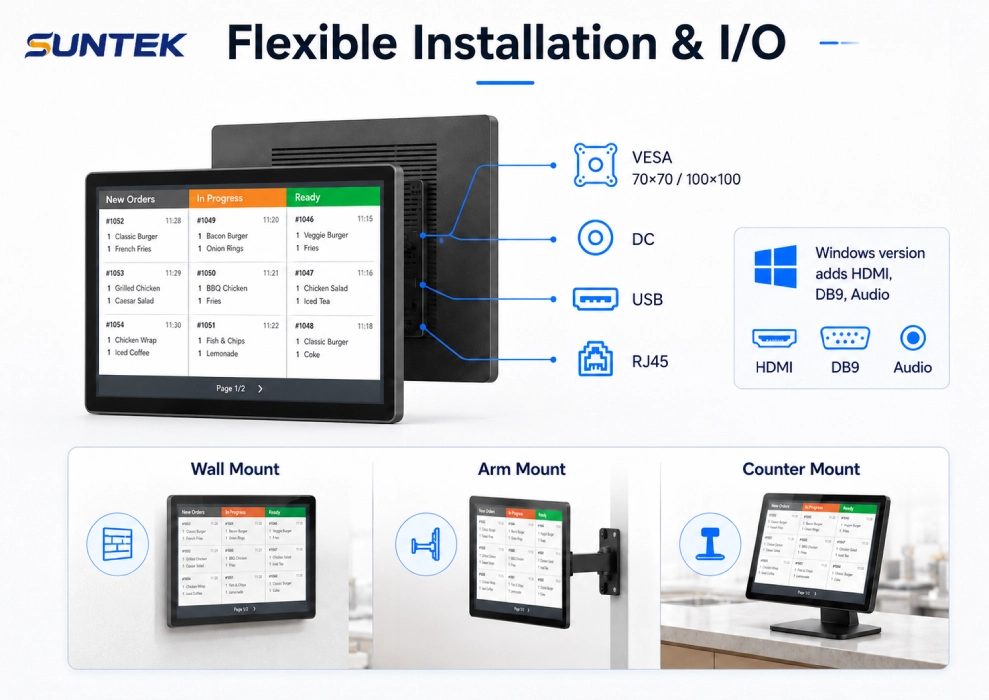
VESA mounting is not the main purpose of a Kitchen Display System, but it is an important hardware detail. It helps restaurants and system integrators place the KDS screen in the correct position according to the kitchen layout.
Commercial kitchens vary widely. Some have limited counter space. Some have long preparation lines. Some require screens above the expeditor station. Others need compact displays near specific workstations.
With VESA-compatible KDS hardware, the screen can be installed on walls, poles, adjustable arms, or other mounting structures. This helps the Kitchen Display System fit the workflow instead of forcing staff to adapt to the device position.
What AI-Ready KDS Hardware Means for Restaurant Integration
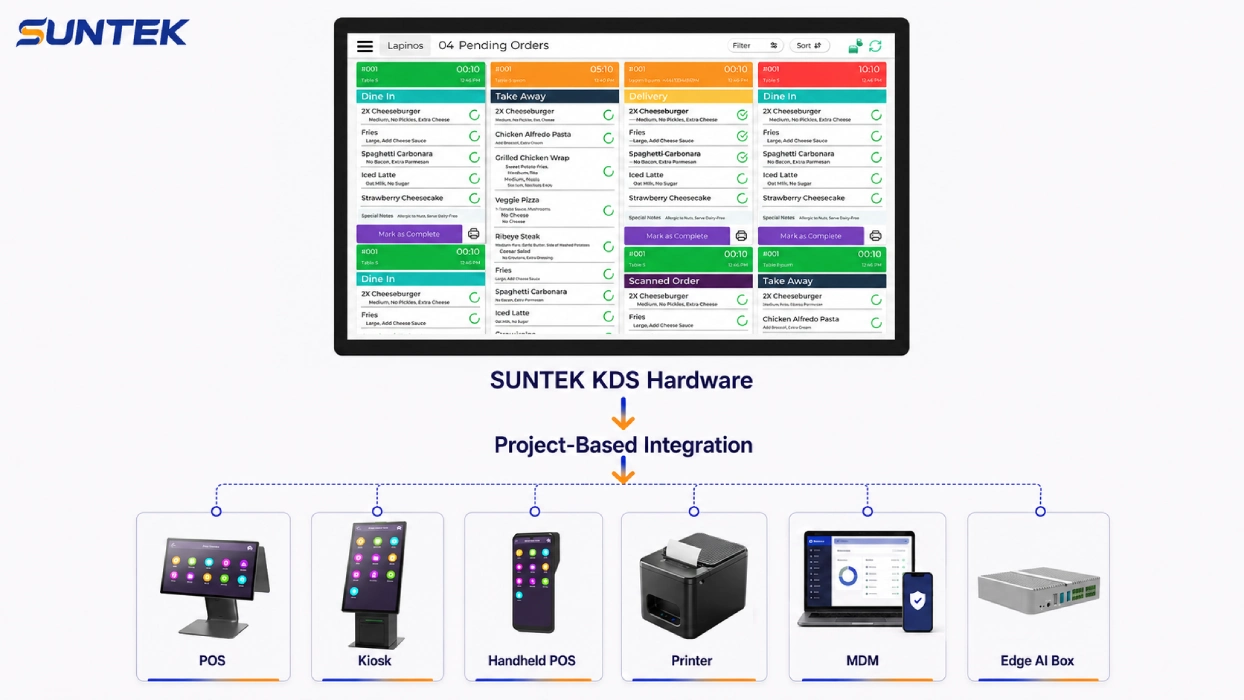
AI-ready KDS hardware does not mean that every Kitchen Display System must run complex AI tasks directly on the screen. In most restaurant projects, AI-ready means the hardware can work as part of a broader smart restaurant ecosystem.
This ecosystem may include POS terminals, self-service kiosks, mobile POS devices, kitchen printers, MDM platforms, cloud systems, and edge AI Box devices. The KDS serves as the kitchen-facing display and interaction endpoint, while other devices or systems may support additional processing, data management, or future workflow expansion. In broader technical discussions, edge computing refers to moving computing capabilities closer to connected devices and data sources.
This modular approach is practical for restaurant operators and system integrators. A restaurant can first deploy stable Kitchen Display System hardware for order display and kitchen coordination, then add AI Box expansion, centralized device management, or other system integration later.
Why Operating System Flexibility Matters in KDS Selection
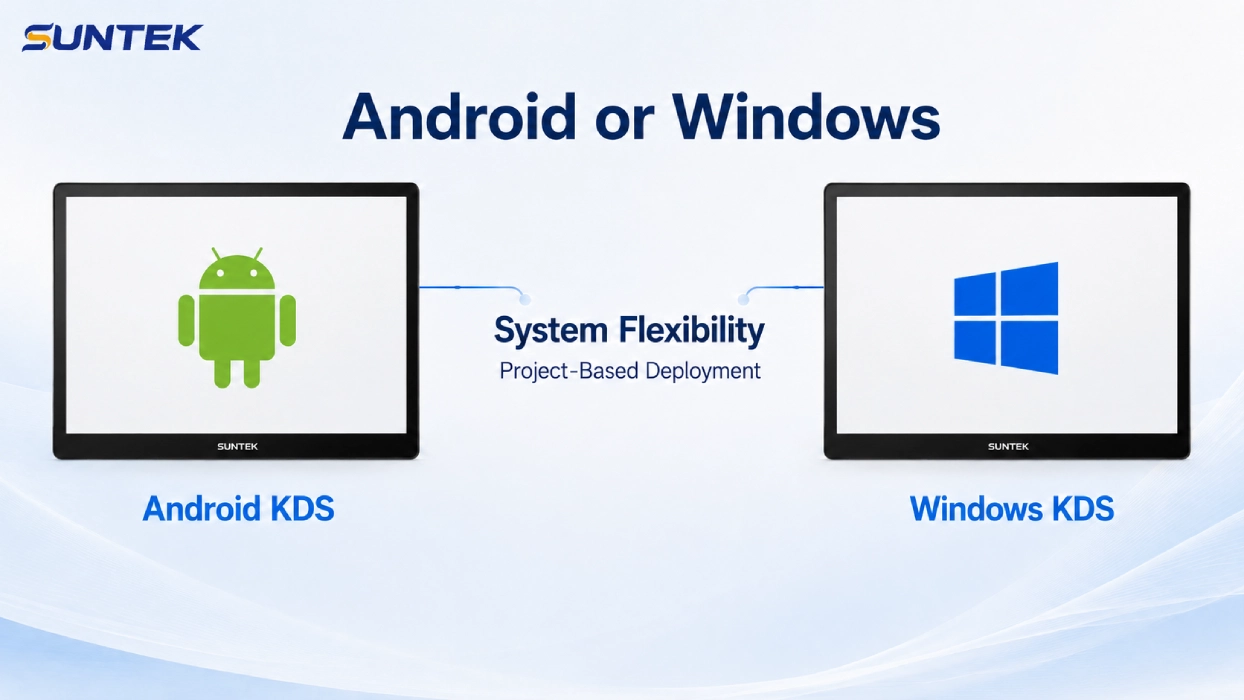
Restaurant software environments are not always the same. Some KDS software platforms run on Android, while others may require Windows. For restaurant chains, distributors, and system integrators, operating system flexibility can reduce deployment friction.
Android or Windows options allow KDS hardware to match different software platforms, POS systems, and project requirements. This is especially useful for international restaurant projects where software vendors and system standards may vary by market.
Key Specifications to Check When Choosing KDS Hardware
When choosing KDS hardware, restaurants should not only compare screen size. A reliable Kitchen Display System should match the kitchen layout, software environment, installation method, network structure, and operating conditions.
| Selection Factor | Why It Matters | Typical Evaluation Point |
|---|---|---|
| Screen Size | Affects how much order information can be viewed at once. | Station display or expeditor display |
| Touch Operation | Allows staff to update order status and interact with the KDS workflow. | Responsive touch interface |
| Operating System | Determines compatibility with KDS software platforms. | Android or Windows support |
| Network Connectivity | Supports stable order data transmission during peak periods. | Ethernet and Wi-Fi options |
| Installation Method | Helps place the screen in the correct kitchen position. | VESA mounting and flexible installation |
| I/O Ports | Supports project-based integration with peripherals and systems. | USB, RJ45, HDMI, DB9, and power ports |
| Enclosure Design | Affects durability and heat dissipation in commercial kitchens. | Metal housing and fanless structure |
Common Kitchen Display System Deployment Scenarios
Different restaurant formats use KDS hardware in different ways. The best deployment depends on kitchen size, order volume, station count, and the number of ordering channels.
| Restaurant Scenario | KDS Deployment Logic | Main Workflow Benefit |
|---|---|---|
| Small Restaurant Kitchen | One central Kitchen Display System for all orders | Simple digital order visibility |
| QSR Prep Line | Multiple KDS screens assigned to preparation stations | Faster station-level task execution |
| Expeditor Station | One larger screen for order checking and dispatch | Better control of order completion |
| Ghost Kitchen | Central order screen plus station-level screens | Improved handling of multiple brands and online channels |
| Food Court or Canteen | KDS screens connected with POS and pickup workflows | Clearer order flow from payment to preparation and pickup |
| Restaurant Chain | Standardized KDS hardware with remote management support | Easier rollout, monitoring, and maintenance across locations |
Where SUNTEK KDS15 and KDS21 Fit into KDS Hardware Selection
For restaurants, software providers, and system integrators evaluating Kitchen Display System hardware, SUNTEK provides two KDS screen options for different kitchen roles.
SUNTEK KDS15 is a 15.6-inch KDS hardware option for compact station-level deployment. It can be used in preparation areas where staff need a dedicated Kitchen Screen for specific order tasks.
SUNTEK KDS21 is a 21.5-inch KDS hardware option for larger viewing areas, expeditor workflows, and centralized kitchen order control. It is suitable for kitchens that need more screen space for order monitoring and coordination.
Both models can support project-based restaurant integration, including POS systems, self-service kiosks, mobile POS devices, printers, MDM platforms, and AI Box expansion depending on the deployment architecture.
| Model | Screen Size | Typical Role | Best-Fit Workflow |
|---|---|---|---|
| SUNTEK KDS15 | 15.6-inch | Station-level Kitchen Screen | Grill, fryer, salad, beverage, prep stations |
| SUNTEK KDS21 | 21.5-inch | Expeditor or central KDS screen | Expo station, ghost kitchen, high-volume order control |
Conclusion: KDS Is Part of the Kitchen Workflow Infrastructure
A Kitchen Display System is often discussed as restaurant software, but its value depends on both workflow design and hardware deployment. Order visibility, station coordination, screen placement, operating system compatibility, network reliability, and integration readiness all affect commercial kitchen throughput.
VESA mounting helps place the KDS screen where kitchen staff can use it effectively. AI-ready hardware helps the KDS work inside a broader restaurant ecosystem. Flexible screen sizes allow restaurants to choose different displays for station-level preparation and central expeditor workflows.
For restaurants, QSR chains, ghost kitchens, food courts, and system integrators, the right KDS hardware should not only display orders. It should support the real Back-of-House workflow from order entry to preparation, coordination, and dispatch.
FAQ
What is a Kitchen Display System?
A Kitchen Display System is a digital order display system used in restaurant kitchens. It receives orders from POS systems, kiosks, online platforms, or handheld devices and displays them on kitchen screens for preparation and order management.
What is KDS hardware?
KDS hardware refers to the physical device used in a Kitchen Display System, including the screen, touch panel, processor, operating system, enclosure, network interfaces, and mounting structure.
How does a Kitchen Display System improve kitchen throughput?
A Kitchen Display System improves kitchen throughput by making order information visible to the right stations, reducing paper ticket handling, supporting real-time status updates, and helping expeditors coordinate preparation and dispatch.
Is VESA mounting important for KDS installation?
Yes. VESA mounting helps restaurants install KDS screens on walls, poles, arms, or other mounting structures so the screen can be placed closer to the correct kitchen workstation.
What does AI-ready KDS hardware mean?
AI-ready KDS hardware means the device can work within a broader smart restaurant ecosystem, including POS systems, kiosks, handheld POS devices, printers, MDM platforms, and AI Box expansion. It does not necessarily mean all AI processing happens directly on the KDS screen.
Can KDS hardware work with self-service kiosks and POS systems?
Yes. In many restaurant deployments, KDS hardware receives order data from cashier POS systems, self-service kiosks, mobile POS handhelds, online ordering platforms, or other order management systems.
Explore SUNTEK Kitchen Display System Hardware
SUNTEK KDS15 and KDS21 provide Kitchen Display System hardware for commercial kitchens, QSR chains, ghost kitchens, food courts, and project-based restaurant system integration.
相关新闻
-
FA10 10.1-Inch AI Facial Recognition Terminal for Smart Access
SUNTEK FA10 10.1-inch AI facial recognition terminal is designed for smart access control, visitor management, attendance, and self-service applicatio…
-
How to Choose the Right POS Terminal: SC1 vs SC2 vs SC6
Selecting the right POS terminal depends on your software requirements, hardware expectations and deployment environment. This guide compares SUNTEK S…
-
Updated FA8 Facial Recognition Terminal
SUNTEK has updated the FA8 8-inch Android facial recognition terminal with a more refined exterior design, a revised interface configuration, and stro…
-
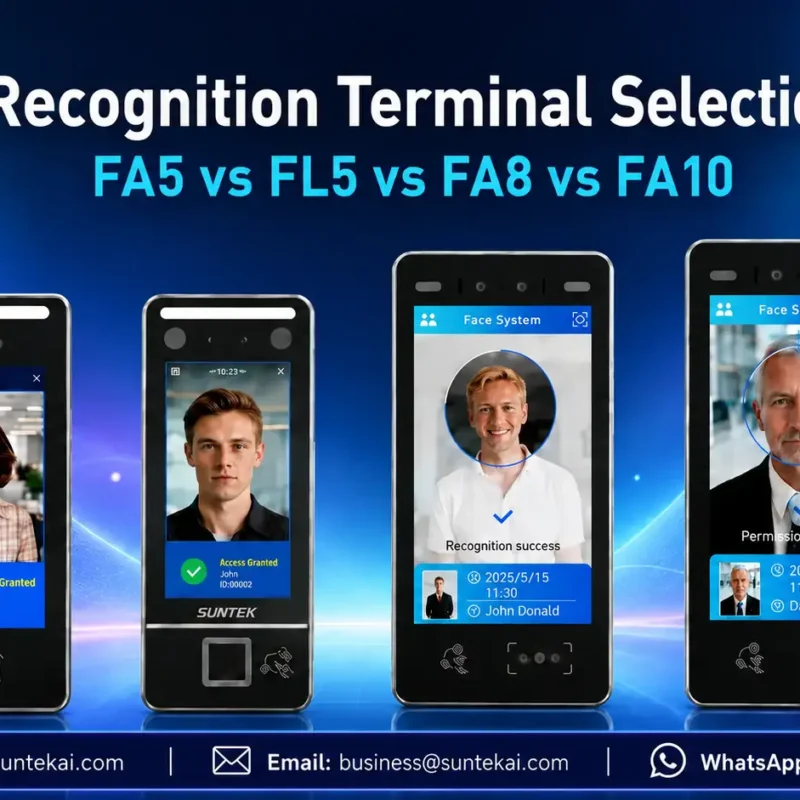
Facial Recognition Terminal Selection Guide: FA5 vs FL5 vs FA8 vs FA10
This guide compares SUNTEK FA5, FL5, FA8, and FA10 to help you choose the right facial recognition terminal for your project. Which SUNTEK Facial Reco…
-
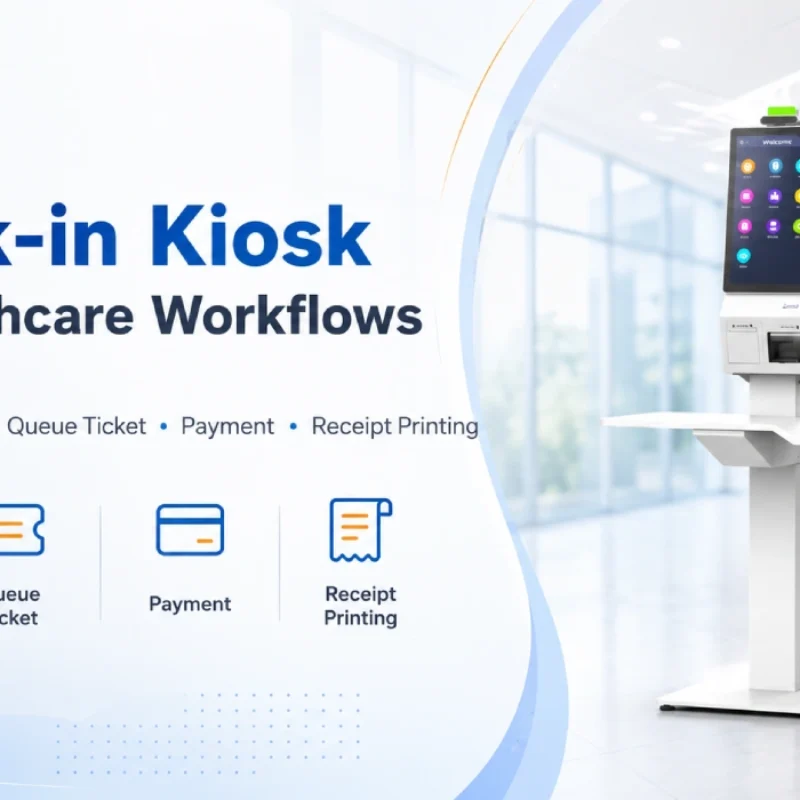
Check-In Kiosk Hardware for Healthcare Self-Service
A check-in kiosk helps healthcare facilities move repetitive front-desk tasks into a guided self-service registration workflow. This article explains how check-in kiosks support appointment confirmation, information entry, queue ticket printing, payment, receipt printing, and optional verification, while also outlining key hardware modules and deployment considerations for hospitals, clinics, and outpatient care centers.
-
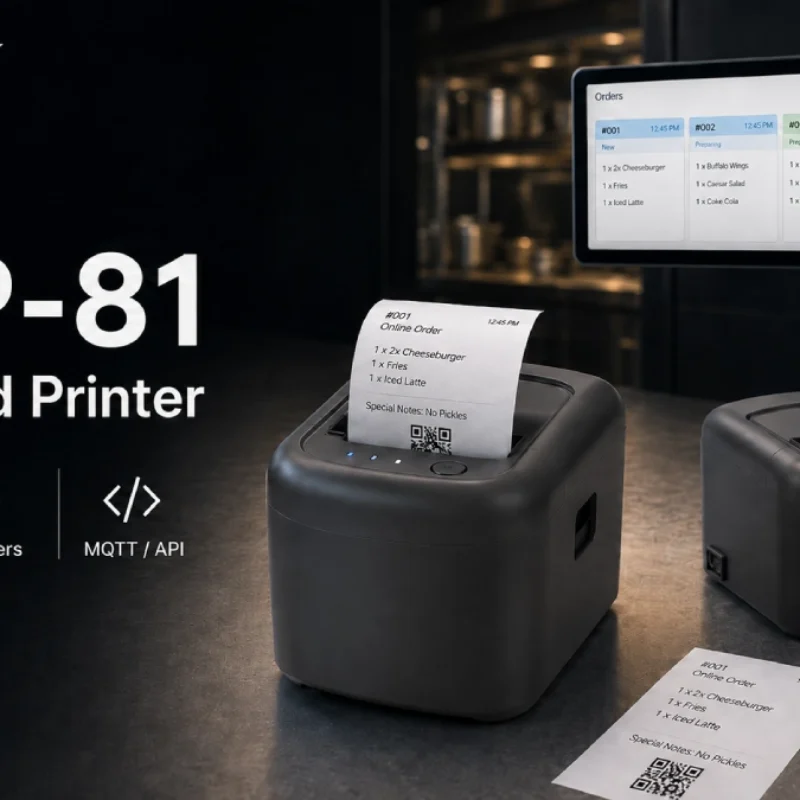
Cloud Printer for Online Food Orders: How Restaurants Keep Delivery Orders Moving
Online food orders are changing how restaurants manage kitchen, packing, and delivery workflows. This article explains how cloud printers and KDS hardware help restaurants print order tickets, improve kitchen visibility, reduce missed orders, and build a more reliable online food order workflow.
-
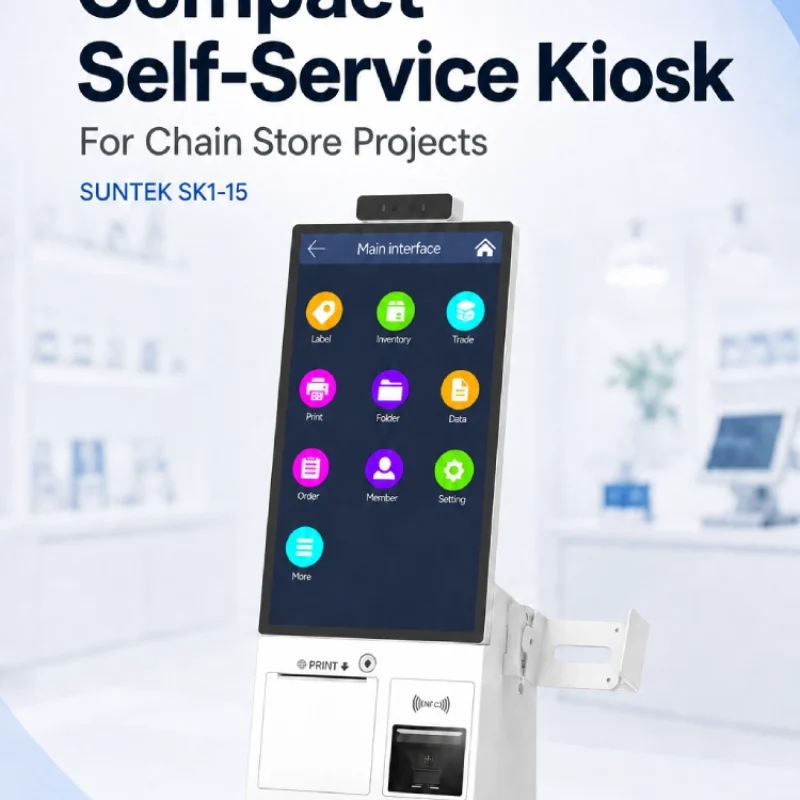
Compact Self-Service Kiosk for Chain Store Projects
SUNTEK SK1-15 is a compact self-service kiosk designed for chain store projects, solution providers, and system integrators. This article explains how SK1-15 supports POS holder installation, SoftPOS-ready NFC configurations, QR code scanning, magnetic stripe card reader options, face camera support, and external fingerprint module integration for front-counter service, payment, identification, and multi-store rollout workflows.
-

Multimodal Biometrics in Access Control After ID4Africa 2026
This article explores how ID4Africa 2026 reflects the growing importance of multimodal biometrics in access control. It explains why face recognition, fingerprint verification, and palm vein recognition are becoming more relevant for offices, hospitals, schools, government buildings, and secure indoor areas, with SUNTEK FL5 as a hardware example.
-

What NRA Show 2026 Reveals About Restaurant Technology Trends
As NRA Show 2026 opens in Chicago, restaurant operators are paying closer attention to practical technology that improves ordering, payment, kitchen workflows and device management. From SUNTEK’s hardware manufacturer perspective, the key trend is clear: restaurant digitalization is moving from isolated software tools to connected hardware systems, including POS terminals, self-service kiosks, cloud printers, SoftPOS-ready devices and remote management platforms.
-
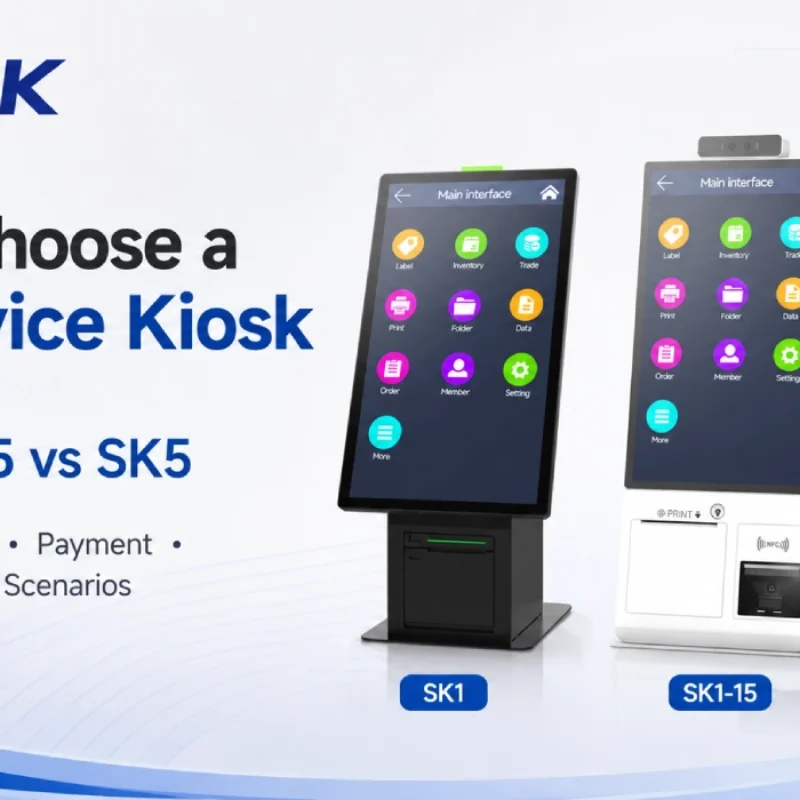
How to Choose a Self-Service Kiosk: SK1 vs SK1-15 vs SK5
Compare SUNTEK SK1, SK1-15, and SK5 self-service kiosks by installation type, SoftPOS support, information kiosk use, payment, printing, scanning, and project scenarios.