
How to Choose a Self-Service Kiosk: SK1 vs SK1-15 vs SK5
Direct Answer
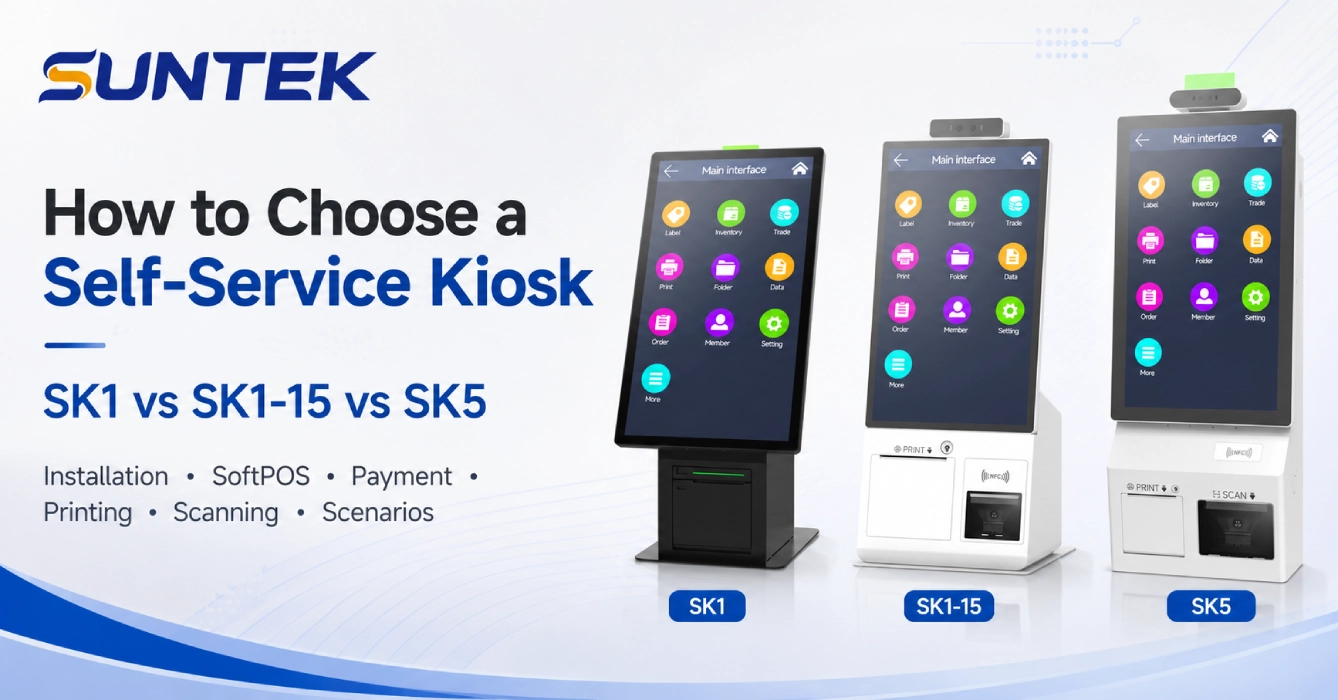
Choosing the right self-service kiosk depends on the service workflow, installation space, screen size, payment method, SoftPOS requirement, printer requirement, scanning function, and hardware expansion needs.
Choose SUNTEK SK1 if you need flexible wall-mounted, desktop, or floor-standing installation for self-service and information kiosk scenarios. Choose SUNTEK SK1-15 if you need a compact 15.6-inch mini self-service kiosk for payment, check-in, or front-desk service. Choose SUNTEK SK5 if your project requires modular hardware such as printer, scanner, NFC, fingerprint, POS holder, or more complex project-based configuration.
All three models can support SoftPOS-related application scenarios. The final configuration should be confirmed based on the customer’s software system, payment method, peripheral requirements, and project integration plan.
Key Takeaways
- SK1 is suitable for flexible self-service and information kiosk deployment with wall-mounted, desktop, or floor-standing installation.
- SK1-15 is suitable for compact spaces that need a mini self-service kiosk with payment, scanning, printing, NFC, POS holder, and SoftPOS support.
- SK5 is suitable for modular kiosk machine projects that require stronger hardware expansion, identity verification, and multi-peripheral integration.
- All three models can support SoftPOS kiosk application scenarios depending on project configuration.
- A self-service kiosk should be selected based on workflow first, not only screen size or product appearance.
- Restaurants, retail stores, hotels, hospitals, public service halls, and ticketing projects may require different kiosk configurations.
Why Self-Service Kiosk Selection Matters
Self-service kiosks are widely used in retail, food service, hospitality, healthcare, transportation, public service, and ticketing environments.
The reason is practical. Businesses need to reduce waiting time, improve service efficiency, support digital payment, and give users a faster way to complete routine tasks.
The global self-service kiosk market continues to grow. Grand View Research estimated the global self-service kiosk market at USD 34.36 billion in 2024 and projected it to reach USD 62.46 billion by 2030. Research and Markets also forecasts the global self-service kiosk market to grow from USD 44.09 billion in 2025 to USD 65.31 billion by 2030.
This growth is not only driven by large retail chains. Many small and medium projects are also adopting kiosk machines for ordering, payment, registration, information service, queue management, and identity verification.
However, different projects require different kiosk hardware. A restaurant self-ordering kiosk, a hospital payment kiosk, a hotel check-in kiosk, and a public service information kiosk may look similar from the outside, but their hardware requirements can be very different.
That is why kiosk selection should start from the actual service scenario.
Which Self-Service Kiosk Should You Choose?
Choose SK1 if you need flexible installation, general self-service workflows, and information kiosk deployment. Choose SK1-15 if you need a compact 15.6-inch kiosk for payment, check-in, or front-desk service. Choose SK5 if your project requires modular hardware such as printer, scanner, NFC, fingerprint, POS holder, or stronger project-based customization.
All three models can support SoftPOS-related application scenarios. The difference is mainly in installation method, device size, modular expansion, and project workflow.
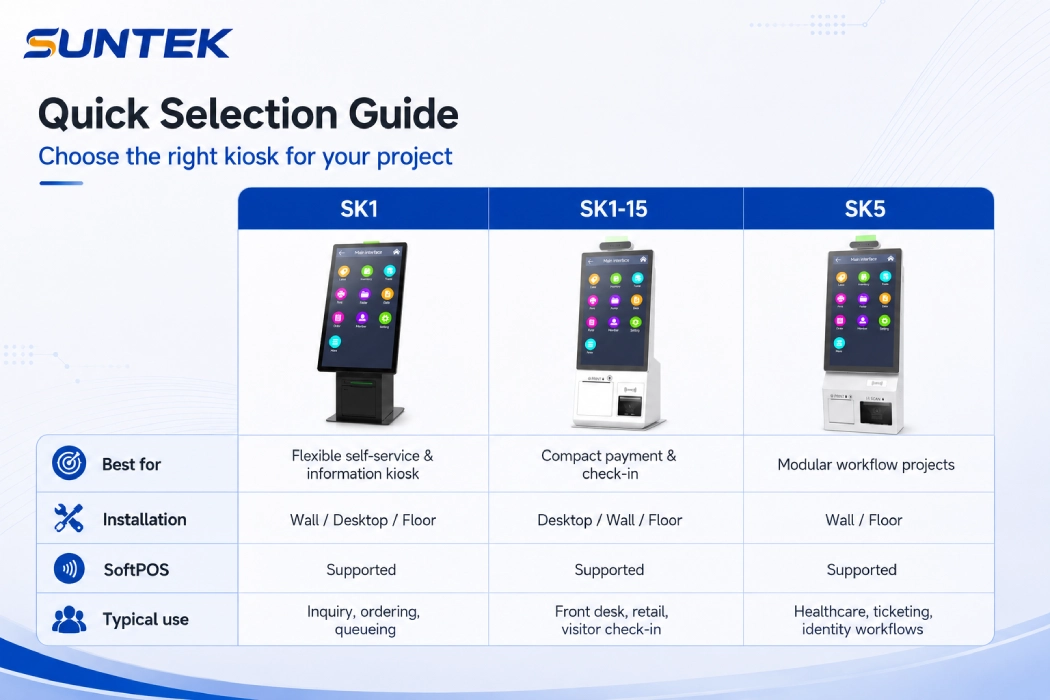
| Selection Need | Recommended Model |
|---|---|
| Flexible installation | SK1 |
| Information kiosk deployment | SK1 |
| Compact front-desk use | SK1-15 |
| Mini self-service kiosk for small spaces | SK1-15 |
| Modular hardware expansion | SK5 |
| SoftPOS-related payment scenario | SK1 / SK1-15 / SK5 |
| Fingerprint or identity verification | SK5 |
| Public service or healthcare project | SK1 / SK5 |
| Project-based customization | SK5 |
SUNTEK Self-Service Kiosk Series at a Glance
SUNTEK offers different self-service kiosk models for different project requirements. SK1, SK1-15, and SK5 are all designed for self-service applications, but they are positioned for different installation methods, service flows, and hardware expansion needs.
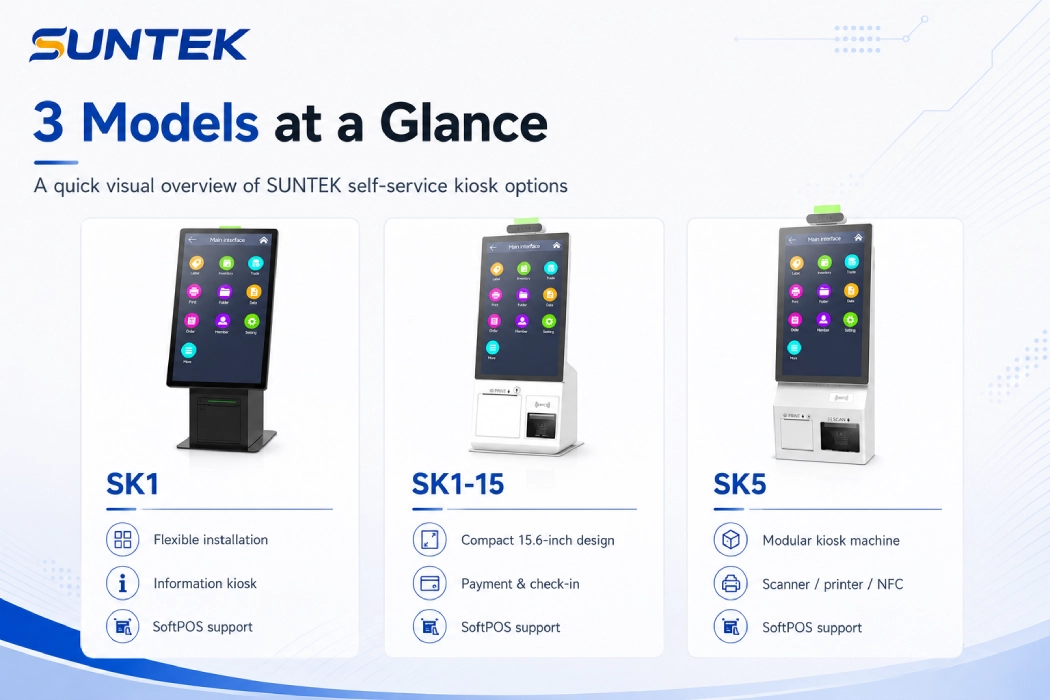
| Model | Best For | Installation Type | Key Positioning |
|---|---|---|---|
| SUNTEK SK1 | Flexible self-service and information kiosk deployment | Wall-mounted, desktop, floor-standing | Multi-installation self-service kiosk and information kiosk |
| SUNTEK SK1-15 | Compact payment and check-in scenarios | Desktop, wall-mounted, floor-standing | 15.6-inch mini self-service kiosk |
| SUNTEK SK5 | Modular project-based kiosk deployment | Wall-mounted or floor-standing | Modular kiosk machine with more hardware options |
Each model can serve different industries, but the selection logic is not the same. SK1 is better when the project needs flexible installation and information service. SK1-15 is better when the site has limited space. SK5 is better when the project needs stronger modular expansion.
When to Choose SUNTEK SK1 Self-Service Kiosk
SUNTEK SK1 self-service kiosk is suitable for projects that require flexible installation, balanced hardware configuration, and general self-service deployment.
It can be used as a wall-mounted kiosk, desktop kiosk, or floor-standing kiosk depending on the project site. This makes it suitable for customers who want to use one kiosk platform across different service areas.
SK1 is also suitable for information kiosk applications. It can be used for public information inquiry, service guidance, hotel information, hospital department inquiry, retail product information, ticketing information, and queueing guidance.
Recommended Scenarios for SK1
- Information inquiry
- Public service guidance
- Restaurant self-ordering
- Retail self-service checkout
- Hotel front-desk service
- Hospital payment or registration
- Public service halls
- Ticketing and service registration
- Queue reduction projects
Why SK1 Works Well
SK1 is a practical choice when the project does not want to redesign the hardware for every location.
It can support different usage flows such as information display, QR code scanning, payment interaction, SoftPOS-related payment scenarios, receipt printing, and service confirmation depending on configuration.
For customers who need a flexible self-service kiosk machine or information kiosk for multiple environments, SK1 is usually the first model to evaluate.
When to Choose SUNTEK SK1-15 Mini Self-Service Kiosk
SUNTEK SK1-15 mini self-service kiosk is suitable for compact spaces where a full self-service workflow is required but the installation area is limited.
Its 15.6-inch screen size makes it a good fit for front desks, small retail counters, restaurant payment areas, pharmacy counters, visitor registration desks, and compact service points.
SK1-15 is especially suitable when the customer wants a smaller device footprint but still needs payment, scanning, printing, NFC, POS holder, and SoftPOS-related payment support.
Recommended Scenarios for SK1-15
- Front-desk payment
- Small restaurant ordering
- Café checkout
- Pharmacy payment
- Hotel check-in
- Visitor registration
- Clinic reception
- Compact retail checkout
- Ticket verification counters
Why SK1-15 Works Well
Many self-service projects do not have enough space for a large floor-standing kiosk. In these cases, a compact mini self-service kiosk is more practical.
SK1-15 can help businesses add self-service capability without taking up too much floor area. It is also easier to place near a counter, reception desk, entrance, or small service zone.
For projects that require a compact payment kiosk, check-in kiosk, or SoftPOS kiosk, SK1-15 is usually a strong choice.
When to Choose SUNTEK SK5 Kiosk Machine
SUNTEK SK5 kiosk machine is suitable for projects that require stronger modular hardware expansion.
Compared with a simple self-service terminal, SK5 is more project-oriented. It can support different modules such as printer, scanner, fingerprint, NFC, POS holder, camera, and other peripheral options depending on the required workflow.
SK5 also supports SoftPOS-related payment scenarios. When customers need to combine SoftPOS with printer, QR scanner, NFC, POS holder, fingerprint, or identity verification workflows, SK5 is more suitable for project-based configuration.
Recommended Scenarios for SK5
- Healthcare self-service
- Pharmacy identity verification
- Public service payment
- Government service halls
- Ticketing and registration
- Bank or financial service projects
- Insurance service counters
- Transportation service points
- Projects requiring fingerprint verification
- Projects requiring modular hardware customization
Why SK5 Works Well
Some kiosk projects require more than a touchscreen and payment interface.
For example, a healthcare kiosk may need fingerprint verification. A ticketing kiosk may need a QR scanner and printer. A public service kiosk may need NFC, receipt printing, and ID-related modules. A payment kiosk may need SoftPOS-related hardware integration or external payment device support.
For customers who need a modular kiosk machine with multiple hardware options, SK5 is usually the better choice.
SK1 vs SK1-15 vs SK5: Quick Comparison
| Selection Question | Recommended Model |
|---|---|
| Need flexible wall-mounted, desktop, or floor-standing installation? | SK1 |
| Need an information kiosk for inquiry, guidance, or public service? | SK1 |
| Need a compact 15.6-inch kiosk for front desk or counter use? | SK1-15 |
| Need more modular hardware expansion? | SK5 |
| Need SoftPOS-related payment support? | SK1 / SK1-15 / SK5 |
| Need fingerprint or identity verification options? | SK5 |
| Need a compact payment kiosk? | SK1-15 |
| Need a kiosk machine for healthcare, public service, or ticketing? | SK5 |
| Need one kiosk platform for different installation methods? | SK1 |
| Need project-based customization? | SK5 |
This table can be used as a starting point. Final selection should still be based on the actual software workflow, peripheral requirements, installation environment, payment method, and project budget.
Which SUNTEK Kiosk Is Best for Each Scenario?
Different industries use kiosk machines in different ways. The best hardware choice depends on what the user needs to complete on the screen.
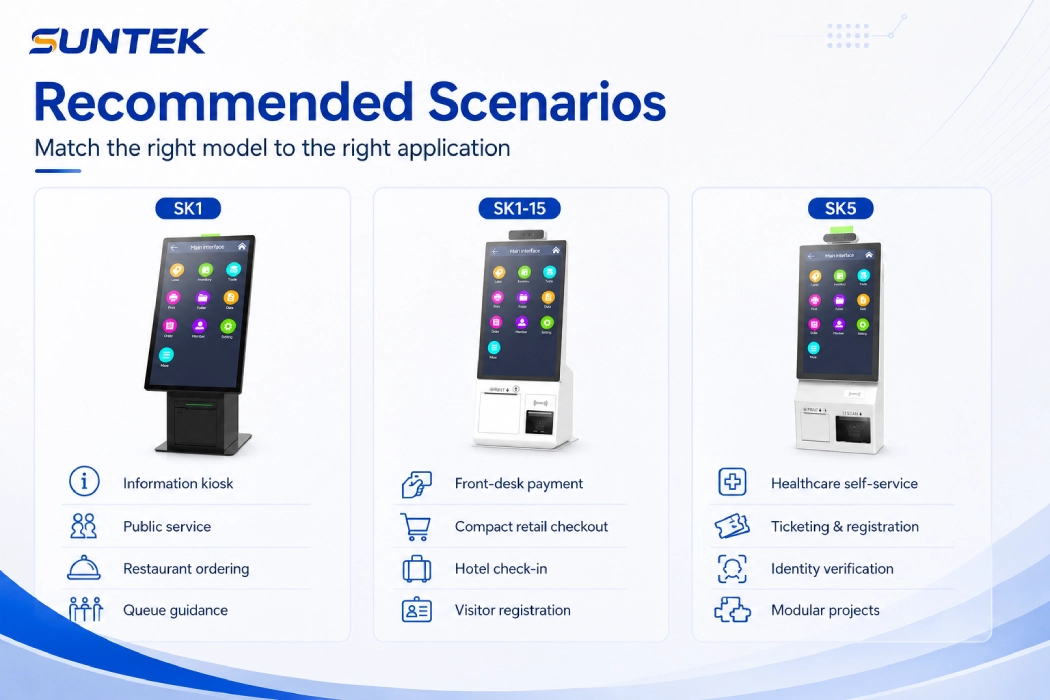
| Scenario | Recommended Model | Reason |
|---|---|---|
| Restaurant self-ordering | SK1 / SK1-15 | Flexible installation, payment interaction, and compact counter options |
| Café or small food counter | SK1-15 | Compact size for limited counter space |
| Retail checkout | SK1-15 / SK5 | Payment, scanning, printing, and SoftPOS-related options |
| Information inquiry | SK1 | Flexible information kiosk deployment for public areas |
| Hotel check-in | SK1-15 / SK5 | Compact front-desk use or modular ID verification |
| Hospital payment | SK1 / SK5 | Payment, printing, information inquiry, and identity module options |
| Pharmacy service | SK5 | Fingerprint, scanner, printer, and payment options |
| Public service hall | SK1 / SK5 | Information guidance, wall-mounted deployment, or modular floor-standing deployment |
| Ticketing and registration | SK5 | Scanner, NFC, printer, and verification options |
| Visitor registration | SK1-15 / SK5 | Compact registration or modular verification |
A self-service kiosk should not be selected only by product appearance. The more important question is: what does the user need to do from start to finish?
Hardware Factors to Compare Before Buying a Self-Service Kiosk
Before selecting a self-service kiosk, project teams should compare several hardware factors.
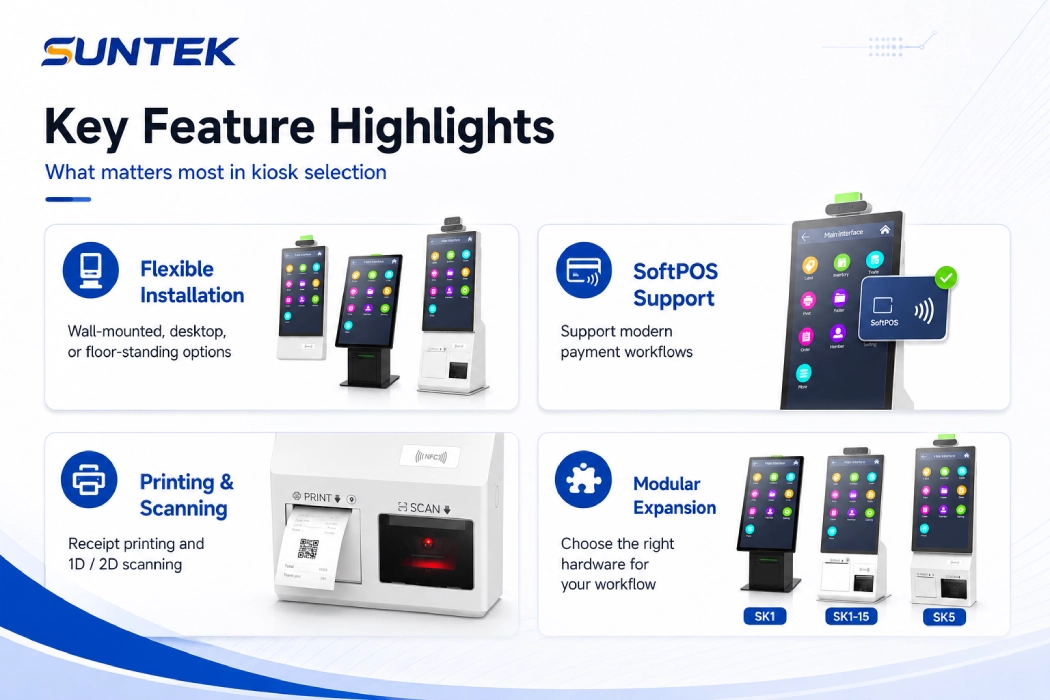
EuroShop also highlights practical selection factors such as screen size, system integration, and use environment when choosing kiosk solutions for retail and hospitality.
1. Screen Size
Screen size affects user experience, installation space, and workflow complexity.
A compact 15.6-inch kiosk such as SK1-15 is suitable for simple payment, check-in, registration, or front-desk service. Larger or more modular kiosk machines may be better for complex public service, ticketing, or identity verification workflows.
2. Installation Type
Installation type is one of the most important selection factors.
Wall-mounted kiosks save floor space. Desktop kiosks are suitable for counters and reception areas. Floor-standing kiosks are suitable for lobbies, public areas, entrances, and high-traffic service zones.
SK1 is suitable when the project needs multiple installation methods. SK1-15 is suitable for compact installation. SK5 is suitable when the project requires a stronger kiosk structure and more modular options.
3. Payment Method and SoftPOS Support
Payment requirements vary by country, industry, and software system.
Some projects need QR payment. Some need NFC. Some need an external POS holder. Some require SoftPOS-related integration. Some projects may only need payment confirmation and receipt printing.
SK1, SK1-15, and SK5 can all support SoftPOS-related application scenarios. The final payment setup should be confirmed according to the customer’s software, payment service provider, integration method, and local compliance requirements.
4. Printer Requirement
Receipt printing is still important in many kiosk applications.
Restaurants may need order receipts. Hospitals may need payment slips. Public service halls may need transaction records. Ticketing projects may need printed tickets or confirmation slips.
If printing is part of the workflow, the kiosk should be selected with enough internal space, printer access design, and maintenance convenience.
5. Scanner Requirement
Barcode and QR code scanning are common in kiosk projects.
A scanner may be used for ticket verification, membership identification, order pickup, appointment check-in, payment confirmation, or document processing.
If the project requires frequent scanning, scanner position and user ergonomics should be considered early.
6. NFC and Identity Verification
Some projects require NFC, fingerprint, camera, or other identity-related modules.
Healthcare, pharmacy, public service, insurance, and membership service projects may need identity verification before the user can continue the service process.
SK5 is more suitable for these modular identity verification scenarios.
7. Software Integration
SUNTEK provides kiosk hardware. Customers usually need their own software team or system integrator to connect the kiosk with their application, payment system, printer, scanner, NFC module, SoftPOS application, fingerprint module, or other peripheral functions.
The hardware should be selected together with the software workflow. Otherwise, the customer may choose a kiosk that looks suitable but does not match the actual integration requirements.
How to Choose Between SK1, SK1-15, and SK5
Choose SK1 if:
- You need flexible installation.
- You want wall-mounted, desktop, or floor-standing options.
- You need a general-purpose self-service kiosk.
- You need an information kiosk for inquiry, guidance, or public service.
- You want one kiosk platform for multiple service locations.
- Your project includes payment, information inquiry, ordering, registration, or queueing.
- You need SoftPOS-related payment capability based on project configuration.
Choose SK1-15 if:
- You need a compact mini self-service kiosk.
- The installation space is limited.
- The kiosk will be placed at a counter, reception area, or small service point.
- The workflow is payment, check-in, visitor registration, or simple service interaction.
- You want a 15.6-inch kiosk for front-desk use.
- You need payment, scanning, printing, NFC, POS holder, and SoftPOS-related support in a compact form.
Choose SK5 if:
- You need stronger modular expansion.
- The project requires printer, scanner, NFC, fingerprint, POS holder, or other modules.
- The kiosk is used for healthcare, public service, ticketing, or identity verification.
- The project requires more customized hardware configuration.
- The workflow is more complex than simple ordering or payment.
- You need SoftPOS-related payment integration together with multiple peripheral modules.
Common Mistakes When Selecting a Self-Service Kiosk
Many kiosk projects face delays because the hardware is selected too early without confirming the actual workflow.
Mistake 1: Choosing Only by Screen Size
A larger screen does not always mean a better kiosk.
For simple payment or check-in, a compact kiosk may be more efficient. For public service, information inquiry, or ticketing, installation method and modular expansion may be more important than screen size.
Mistake 2: Ignoring Installation Space
A kiosk must fit the actual site.
Before selection, the customer should confirm whether the kiosk will be wall-mounted, placed on a counter, or installed as a floor-standing unit.
Mistake 3: Confirming Payment Too Late
Payment integration should be discussed early.
Different markets may require different payment devices, QR payment flows, NFC methods, SoftPOS support, or local compliance considerations.
Mistake 4: Forgetting Printer Maintenance
If the kiosk includes a printer, paper replacement and maintenance access should be considered.
A good kiosk design should make daily operation easier for staff.
Mistake 5: Treating Hardware and Software Separately
The kiosk hardware should match the software workflow.
If the software needs payment, SoftPOS, printer, scanner, NFC, fingerprint, or identity verification integration, these modules should be confirmed before the final hardware configuration.
SUNTEK Kiosk Series for Project-Based Deployment
SUNTEK self-service kiosk products are designed for B2B project deployment.
The product series can support different use cases, from compact payment counters and information inquiry points to modular self-service projects. Customers can choose the model based on installation method, screen size, peripheral module, payment method, SoftPOS requirement, and service scenario.
For system integrators, software companies, and project operators, SUNTEK can provide hardware support for different self-service applications such as ordering, payment, registration, ticketing, information service, queueing, and identity verification.
The final configuration should be confirmed based on project requirements, software integration, target market, payment environment, and installation site.
FAQ
What is the difference between SK1, SK1-15, and SK5?
SK1 is a flexible self-service kiosk and information kiosk for wall-mounted, desktop, and floor-standing deployment. SK1-15 is a compact 15.6-inch mini self-service kiosk for small-space payment and check-in scenarios. SK5 is a modular kiosk machine for projects that require more hardware expansion, such as printer, scanner, NFC, fingerprint, or POS holder.
Do SK1, SK1-15, and SK5 support SoftPOS?
Yes. SK1, SK1-15, and SK5 can all support SoftPOS-related application scenarios. The final setup should be confirmed based on the customer’s payment software, payment service provider, market requirements, and integration plan.
Which SUNTEK kiosk is best for payment scenarios?
SK1-15 and SK5 are suitable for payment scenarios. SK1-15 is better for compact payment counters and front-desk service areas. SK5 is better for modular payment projects that may require printer, scanner, NFC, POS holder, fingerprint, or identity verification modules. SK1 can also be used for flexible payment and SoftPOS-related scenarios.
Which model is suitable for information kiosk applications?
SK1 is suitable for information kiosk applications because it supports flexible wall-mounted, desktop, and floor-standing installation. It can be used for public information inquiry, service guidance, hospital department inquiry, hotel information, retail product information, queueing guidance, and public service areas.
Which model is suitable for restaurant self-ordering?
SK1 and SK1-15 are suitable for restaurant self-ordering. SK1 is suitable when the project needs flexible installation. SK1-15 is suitable for compact counters, small restaurants, cafés, and front-desk ordering areas.
Which kiosk is suitable for healthcare or pharmacy projects?
SK5 is suitable for healthcare and pharmacy projects that require modular hardware such as fingerprint, scanner, printer, NFC, or identity verification modules. SK1 can also be used for general hospital payment, information inquiry, or registration scenarios.
Can SUNTEK kiosks support receipt printing?
Yes. SUNTEK self-service kiosks can support receipt printer options depending on the model and project configuration. Customers should confirm the printing workflow, paper size, and maintenance requirements before final configuration.
Can SUNTEK kiosks support QR code scanning?
Yes. QR code scanning can be supported depending on the selected model and configuration. It is commonly used for ticket verification, payment confirmation, membership identification, appointment check-in, and order pickup.
Does SUNTEK provide kiosk software?
SUNTEK mainly provides kiosk hardware. Customers usually need their own software team or system integrator to connect the kiosk with their application, payment system, SoftPOS application, printer, scanner, NFC module, fingerprint module, or other peripheral functions.
Which kiosk is best for limited installation space?
SK1-15 is usually the better choice for limited installation space. Its compact 15.6-inch design is suitable for front desks, counters, clinics, small retail stores, cafés, and visitor registration areas.
How should I choose a kiosk machine for a project?
Start with the workflow. Confirm what the user needs to do, such as ordering, payment, check-in, information inquiry, identity verification, ticketing, printing, or scanning. Then choose the kiosk model based on installation type, screen size, peripheral modules, SoftPOS requirement, software integration, and maintenance requirements.
Conclusion
SK1, SK1-15, and SK5 are all part of SUNTEK’s self-service kiosk series, but they are designed for different project needs.
SK1 is suitable for flexible installation, general self-service deployment, and information kiosk applications. SK1-15 is suitable for compact payment, check-in, and front-desk service scenarios. SK5 is suitable for modular projects that require more hardware options and stronger expansion capability.
All three models can support SoftPOS-related application scenarios. The right choice should be based on the real service workflow, installation space, payment method, printing need, scanning requirement, identity verification requirement, and software integration plan.
If your project requires self-service kiosk hardware for payment, ordering, registration, ticketing, information service, queueing, or identity verification, SUNTEK can help you evaluate the suitable kiosk model and configuration.
Contact SUNTEK:
[email protected]
|
WhatsApp:
+86-182-051-85655
相关新闻
-
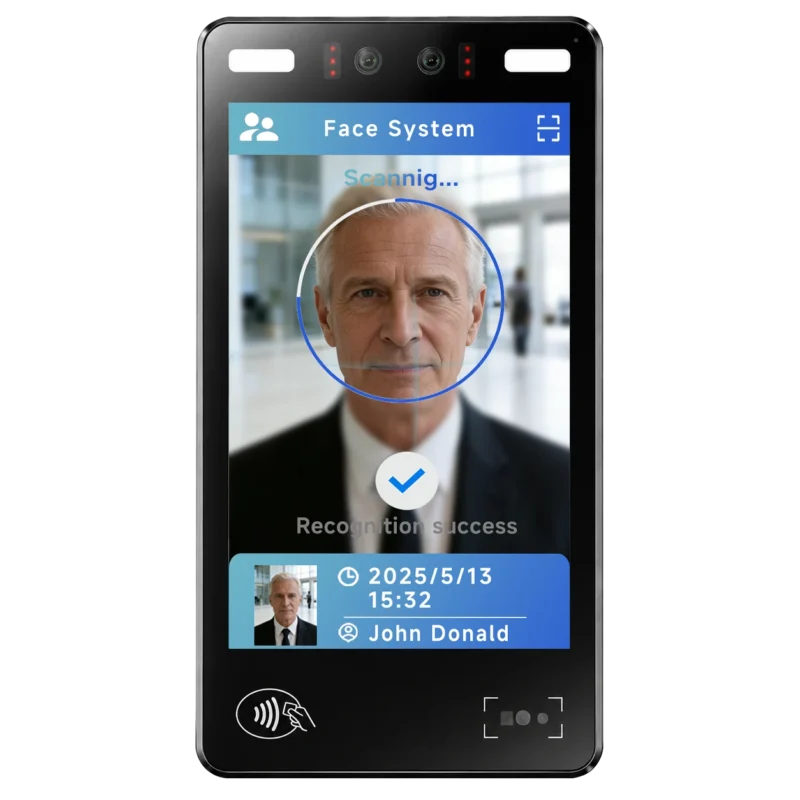
FA10 10.1-Inch AI Facial Recognition Terminal for Smart Access
SUNTEK FA10 10.1-inch AI facial recognition terminal is designed for smart access control, visitor management, attendance, and self-service applicatio…
-
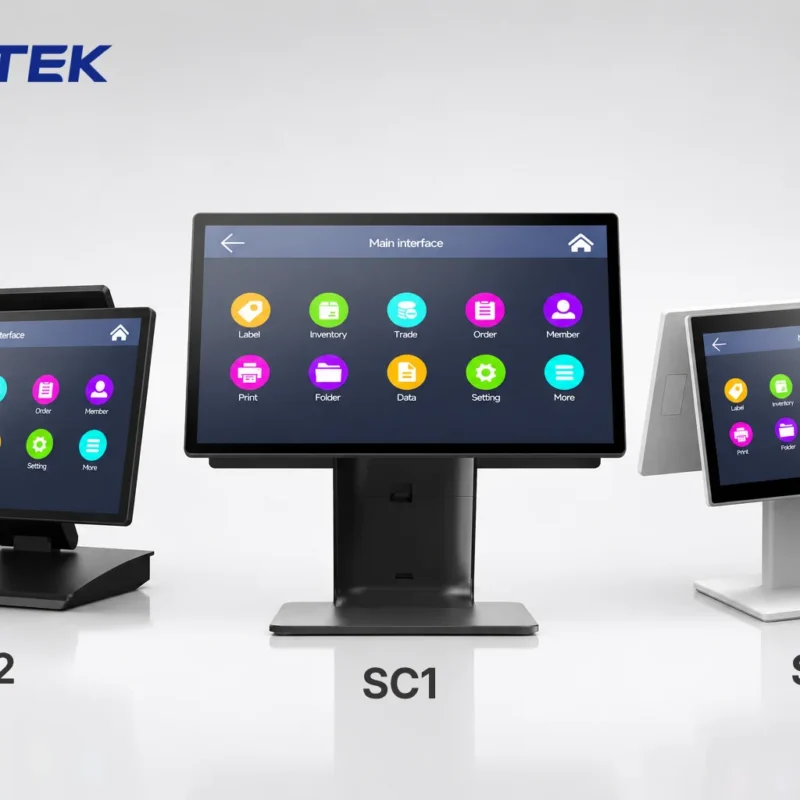
How to Choose the Right POS Terminal: SC1 vs SC2 vs SC6
Selecting the right POS terminal depends on your software requirements, hardware expectations and deployment environment. This guide compares SUNTEK S…
-
Updated FA8 Facial Recognition Terminal
SUNTEK has updated the FA8 8-inch Android facial recognition terminal with a more refined exterior design, a revised interface configuration, and stro…
-
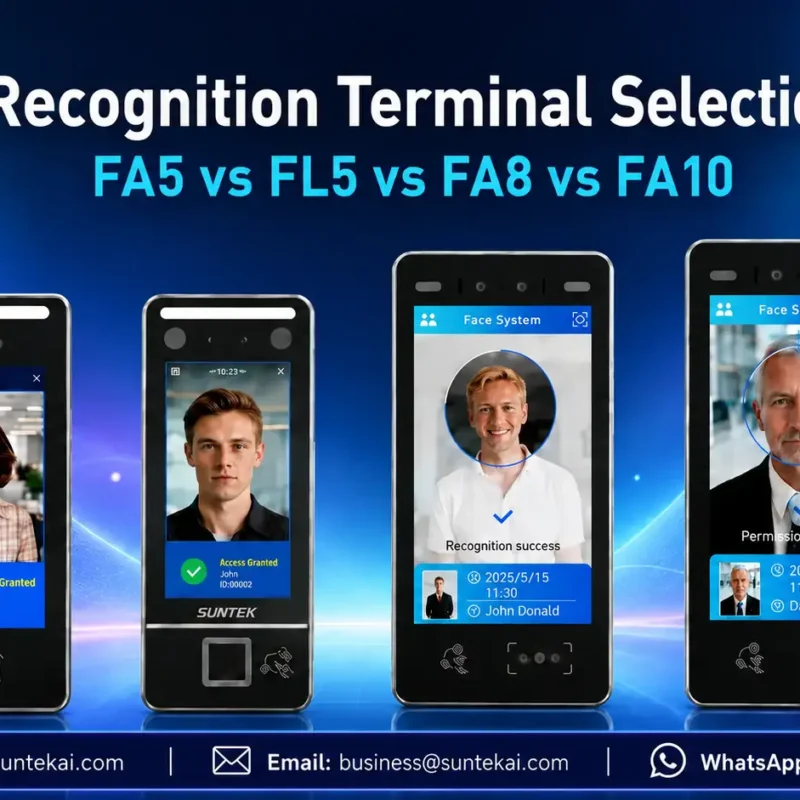
Facial Recognition Terminal Selection Guide: FA5 vs FL5 vs FA8 vs FA10
This guide compares SUNTEK FA5, FL5, FA8, and FA10 to help you choose the right facial recognition terminal for your project. Which SUNTEK Facial Reco…
-
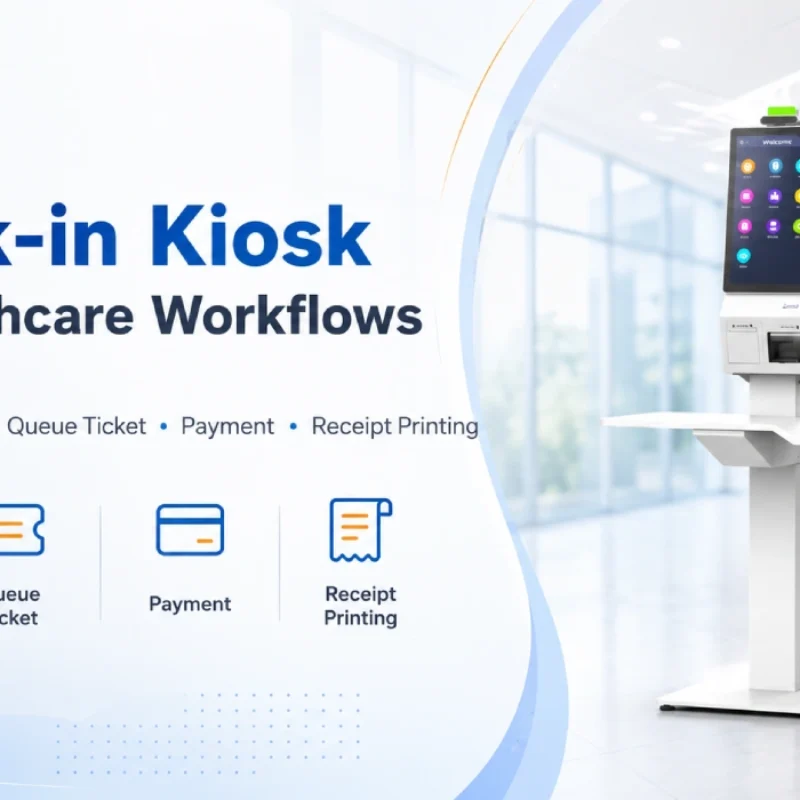
Check-In Kiosk Hardware for Healthcare Self-Service
A check-in kiosk helps healthcare facilities move repetitive front-desk tasks into a guided self-service registration workflow. This article explains how check-in kiosks support appointment confirmation, information entry, queue ticket printing, payment, receipt printing, and optional verification, while also outlining key hardware modules and deployment considerations for hospitals, clinics, and outpatient care centers.
-
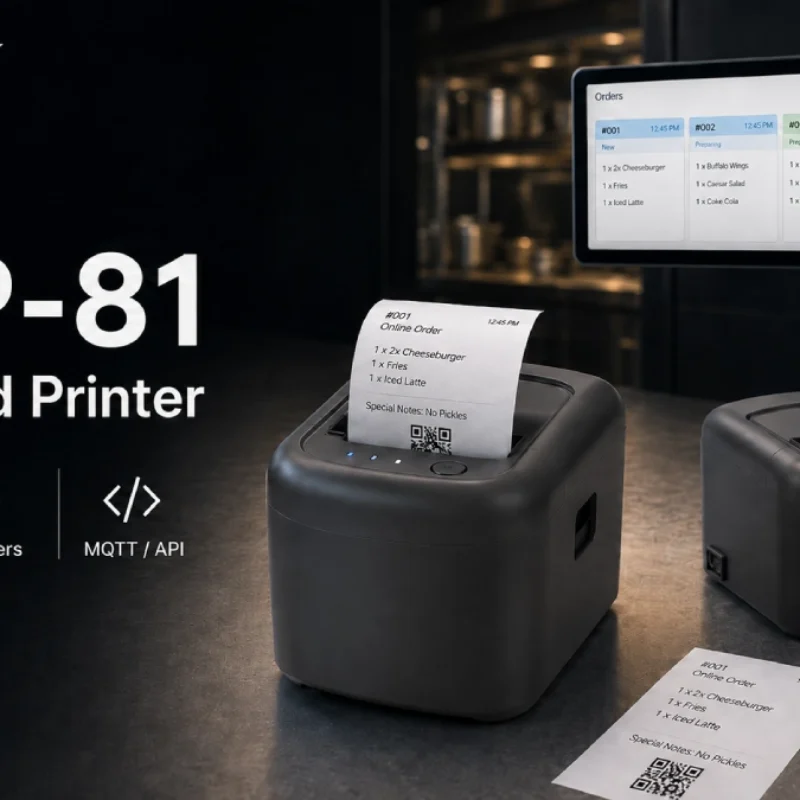
Cloud Printer for Online Food Orders: How Restaurants Keep Delivery Orders Moving
Online food orders are changing how restaurants manage kitchen, packing, and delivery workflows. This article explains how cloud printers and KDS hardware help restaurants print order tickets, improve kitchen visibility, reduce missed orders, and build a more reliable online food order workflow.
-
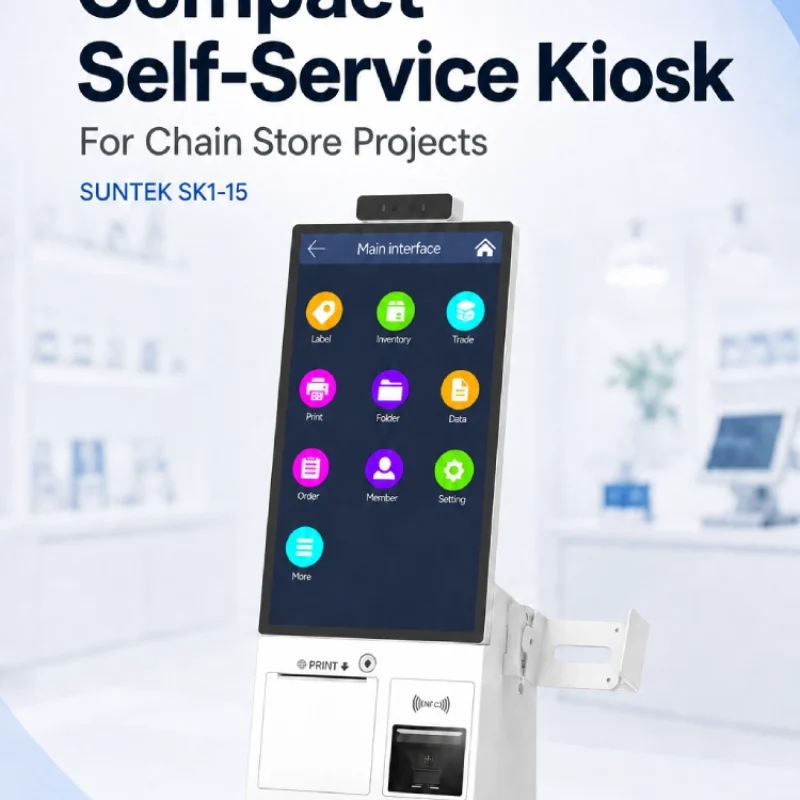
Compact Self-Service Kiosk for Chain Store Projects
SUNTEK SK1-15 is a compact self-service kiosk designed for chain store projects, solution providers, and system integrators. This article explains how SK1-15 supports POS holder installation, SoftPOS-ready NFC configurations, QR code scanning, magnetic stripe card reader options, face camera support, and external fingerprint module integration for front-counter service, payment, identification, and multi-store rollout workflows.
-
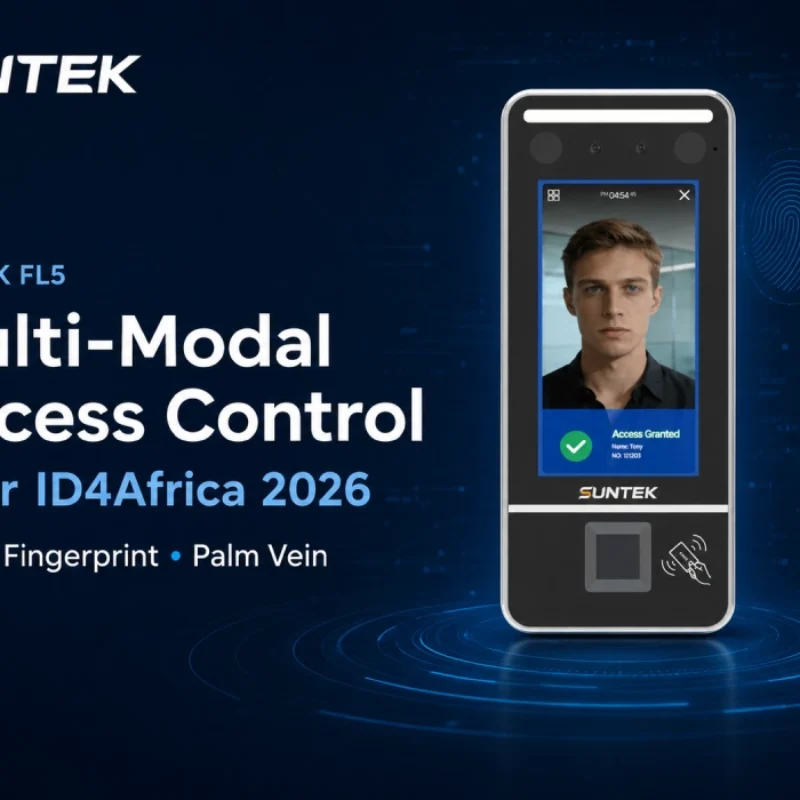
Multimodal Biometrics in Access Control After ID4Africa 2026
This article explores how ID4Africa 2026 reflects the growing importance of multimodal biometrics in access control. It explains why face recognition, fingerprint verification, and palm vein recognition are becoming more relevant for offices, hospitals, schools, government buildings, and secure indoor areas, with SUNTEK FL5 as a hardware example.
-

What NRA Show 2026 Reveals About Restaurant Technology Trends
As NRA Show 2026 opens in Chicago, restaurant operators are paying closer attention to practical technology that improves ordering, payment, kitchen workflows and device management. From SUNTEK’s hardware manufacturer perspective, the key trend is clear: restaurant digitalization is moving from isolated software tools to connected hardware systems, including POS terminals, self-service kiosks, cloud printers, SoftPOS-ready devices and remote management platforms.
-
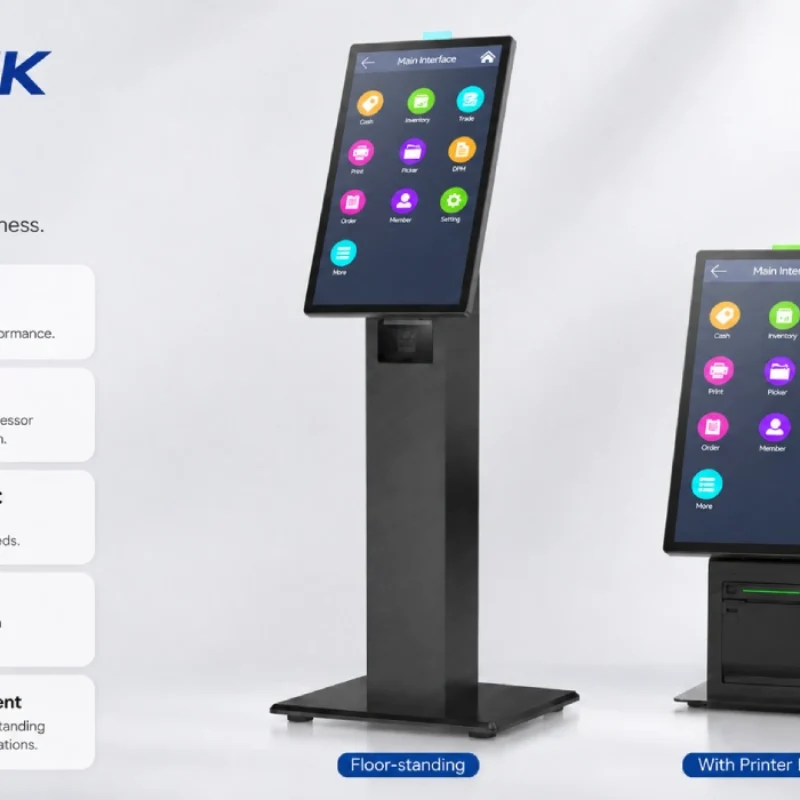
How Can the SUNTEK SK1 Information Kiosk Machine Improve Government Self-Service?
The SUNTEK SK1 Information Kiosk Machine supports government self-service scenarios such as tax payment, bill payment, parking ticket payment, public service inquiry, NFC interaction, QR code payment, SoftPOS, mobile pay, receipt printing, and paperless confirmation. With Android 14, RK3576 hardware, under-screen NFC, optional printer configuration, and flexible deployment options, SK1 provides a modular kiosk hardware platform for public service centers and system integrators.